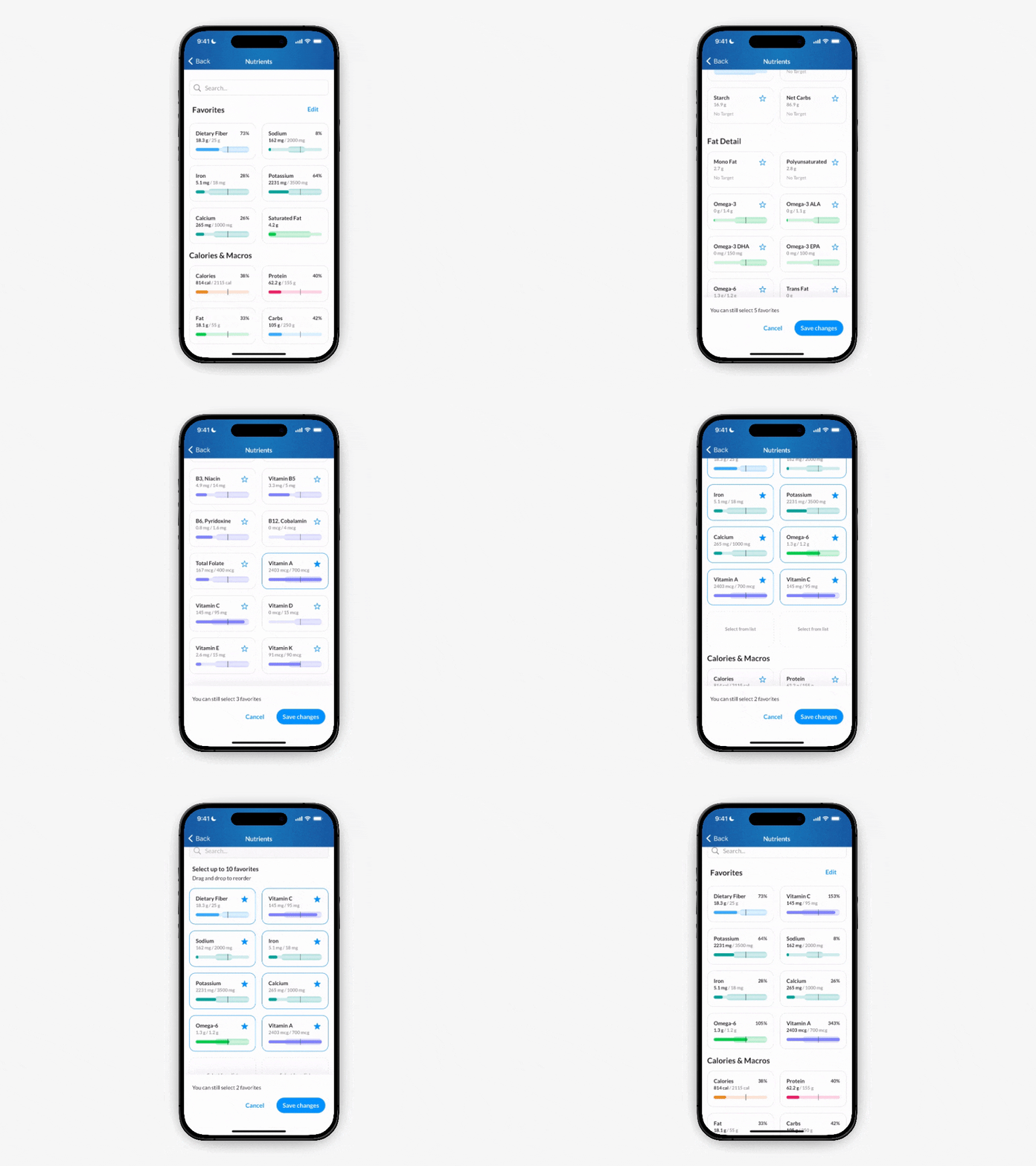
You can pin up to 10 nutrients to your Dashboard for quick access.
To add or remove a nutrient from your favorites:
Go to Dashboard > Nutrients > tap Edit
On each nutrient, tap the ☆ on to add it as pinned, or tap a selected ★ to un-pin the nutrient
To reorder your favorites: Tap and hold on a nutrient to drag it to the desired position