

Nutrient goals in MacrosFirst are set to Auto by default. Auto utilizes guidelines from the US and EU health authorities to give you a science-based starting point to monitoring your nutrients.
You can also set Custom targets for any nutrient or choose None if you prefer not to display a goal or target range.
Setting Custom Targets
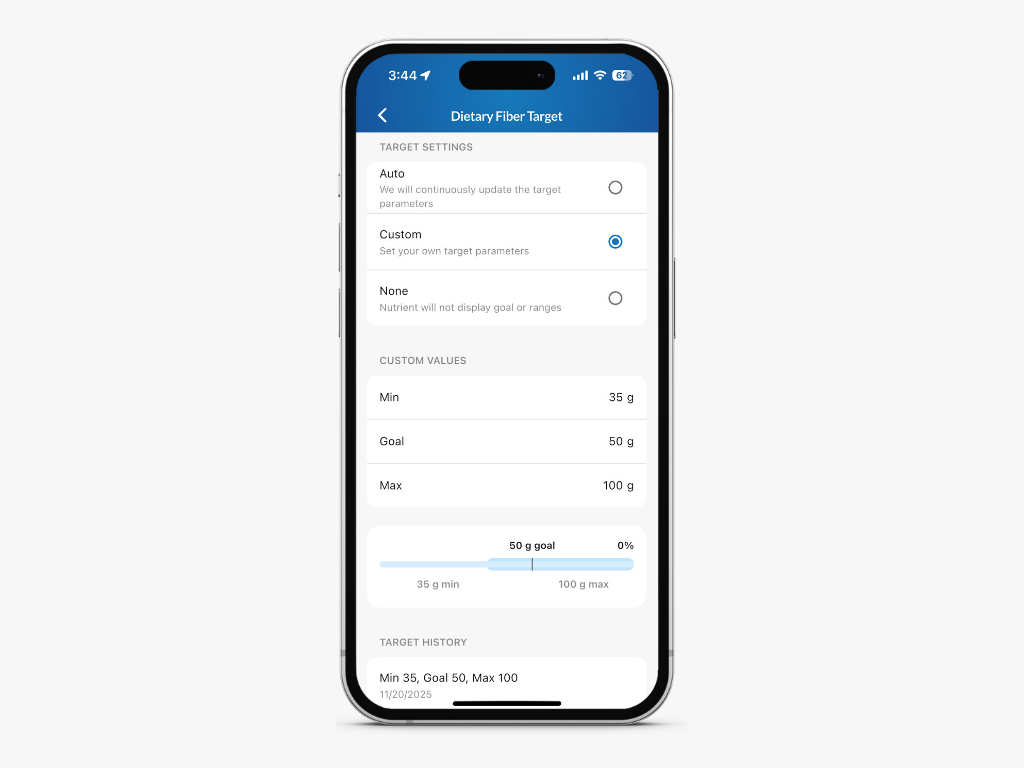
Go to Dashboard > Nutrients and select any nutrient.
Tap the pencil icon in the Your Target section.
Select Custom.
Enter your minimum, goal, and maximum values.
Tap the back arrow. Your settings will be saved automatically.
While editing a Custom target, you can also view a target history, which shows the previously saved target values for that nutrient.
How Custom Targets Appear in Your Reports
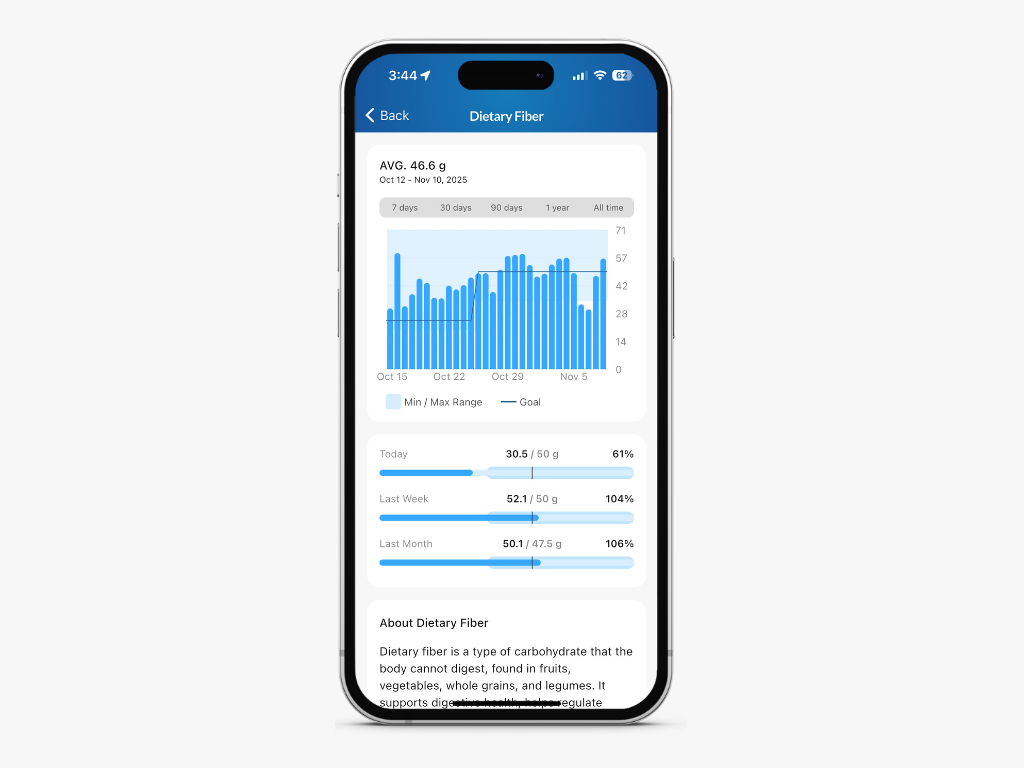
Once a Custom target is saved:
The nutrient’s goal trendline will appear on the interactive chart.
A lightly colored min and max bar will display the range you set.
These visual cues can help you understand how your daily intake compares to your personalized targets over time.
Note: To adjust your Macro and Calorie Goals, edit your Daily Goal:
Daily Goal
How to manage your daily macro goal