Welcome to MacrosFirst! This guide will walk you through the basics of creating your daily macro target, logging food, and exploring the reporting available to help you reach your nutrition goals.
Before you dive into logging your meals, start by setting your goal.
When you sign up, MacrosFirst will ask a series of questions to create personalized daily targets based on your goals, activity level, and preferences. These targets include calories, macronutrients, and other objectives tailored to your needs.
You’ll be automatically guided through this process when you first join MacrosFirst. You can also recalculate or edit your daily goal at any time. Here’s how:
Daily Goal
How to manage your daily macro goal
Food logging is the foundation of your MacrosFirst experience. Our food database makes it easy to find and log foods, meals, and recipes. For faster logging, you can also use tools like barcode scanning and AI image search.
Start a food search from the search field, barcode scan button, or the + button at the bottom of the screen.
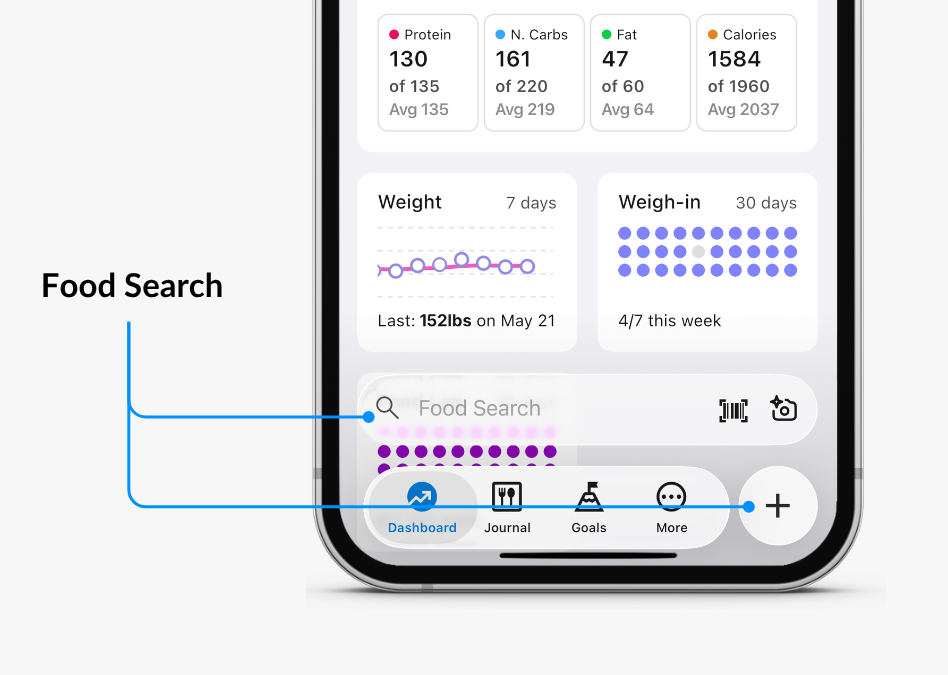
Then search for your food by name, photo, or barcode.
Once you’ve found your food, you can tap on it to update the serving size to match the portion you’re logging.
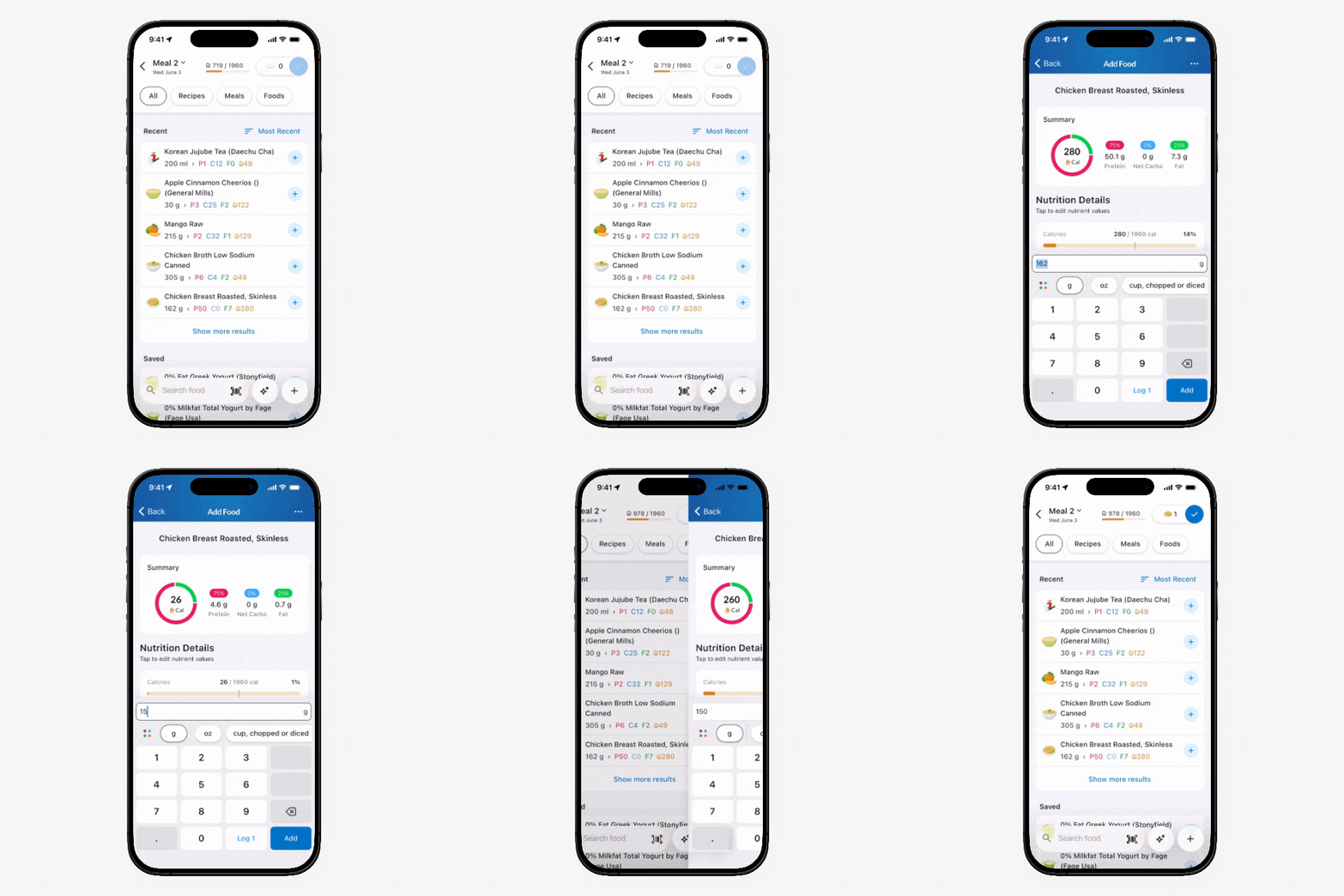
When finished, tap Log to add it to your Journal.
Or you want to add more foods, simply tap the blue Add button to continue finding more foods to build the rest of your meal.
Whether it’s a quick snack or a full-course meal, you’ll find it easy to keep track of your foods. For a complete overview of food logging please check out this more detailed food logging article.
If you regularly eat the same combination of foods, you can save them as a custom meal for faster logging in the future.
For example, you can save your favorite protein smoothie, breakfast, lunch, or any frequently eaten meal so it's ready to log with just a few taps.
Meals: Create, Edit & Copy
How to manage your meals
MacrosFirst allows you to personalize your Journal to better match your routine and preferences.
You can:
Add new meals beyond the default Breakfast, Lunch, Dinner, and Snack settings
Display additional nutrients to track specific dietary needs
Once you’ve logged a few days of your foods (and optional weigh-ins), you’ll be able to see how you’re trending towards your goal and target nutrients. MacrosFirst provides powerful tools to analyze your nutritional data and help you stay on track to succeed.
MacrosFirst provides a variety of reporting tools to help you:
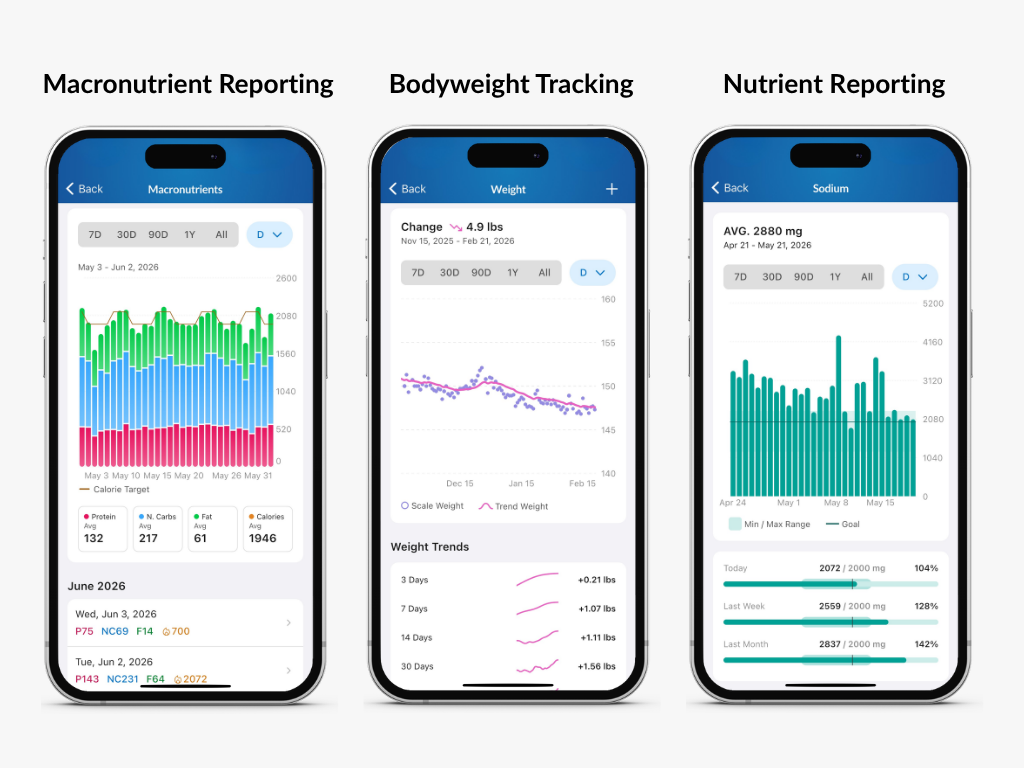
To learn more about reporting and analytics, explore the Reporting articles.
Now that you've completed the basics, you're ready to get the most out of MacrosFirst.
Continue exploring the app's features, build consistent tracking habits, and use your nutrition data to make informed decisions that support your goals.
Thanks for choosing MacrosFirst. We're excited to be part of your nutrition journey!